One man's struggle to take it easy
Cabin: A few more pictures of the site
Sunday, Jun 20, 2010
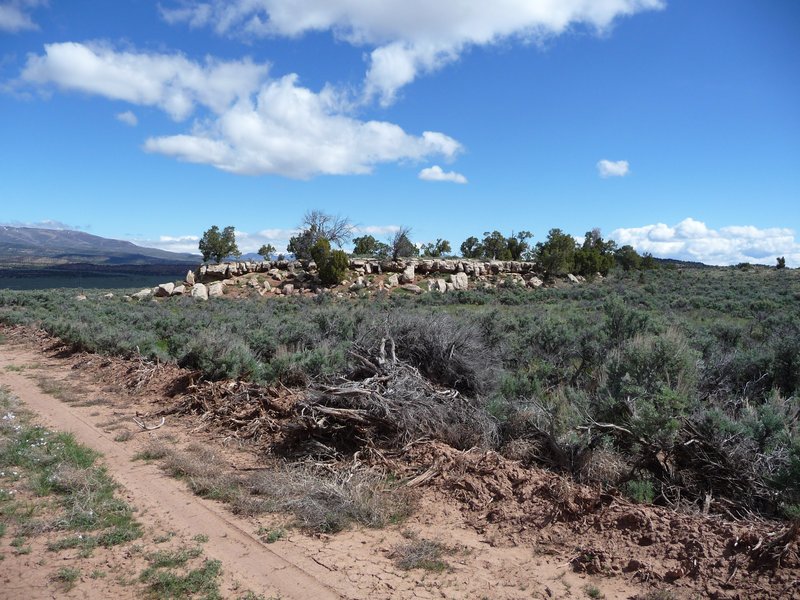
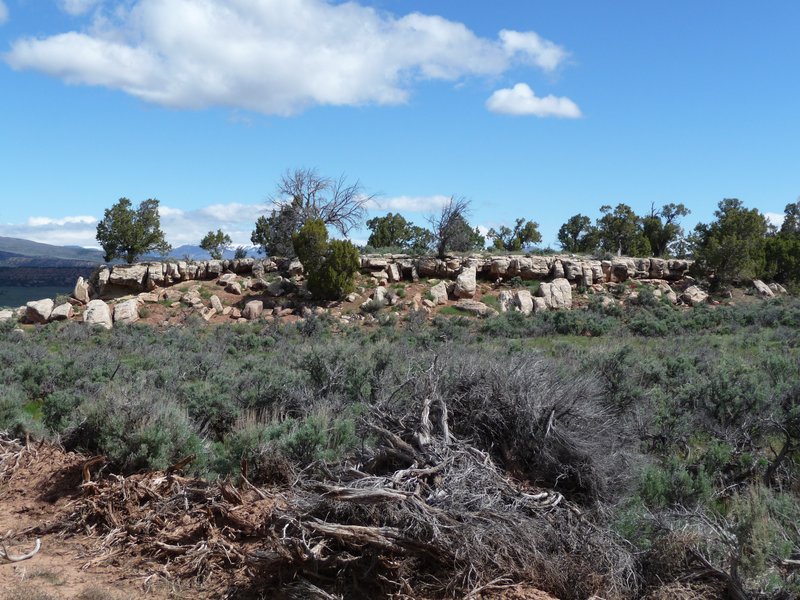
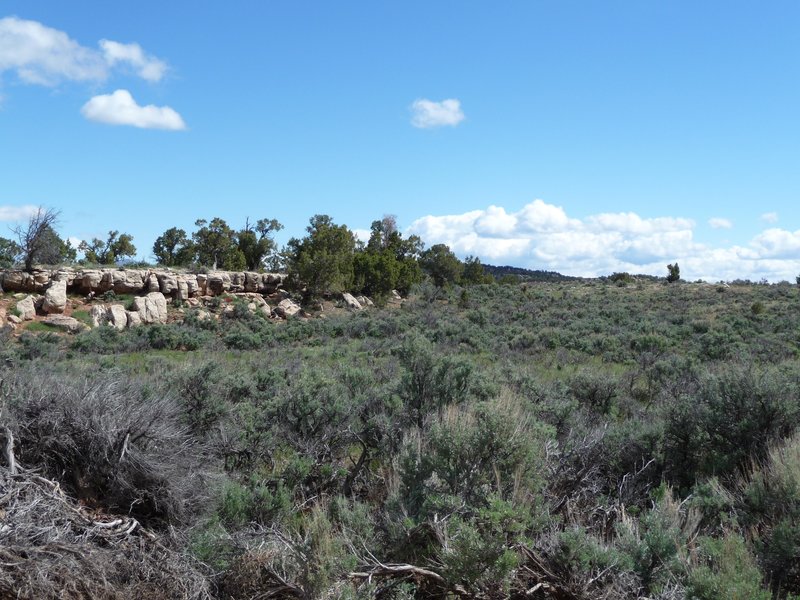
Here are a few more pictures of the cabin site from the road entering the property. The cabin will sit atop the rocky area.
Cabin: Foundation Attempt #1
Sunday, Jun 20, 2010
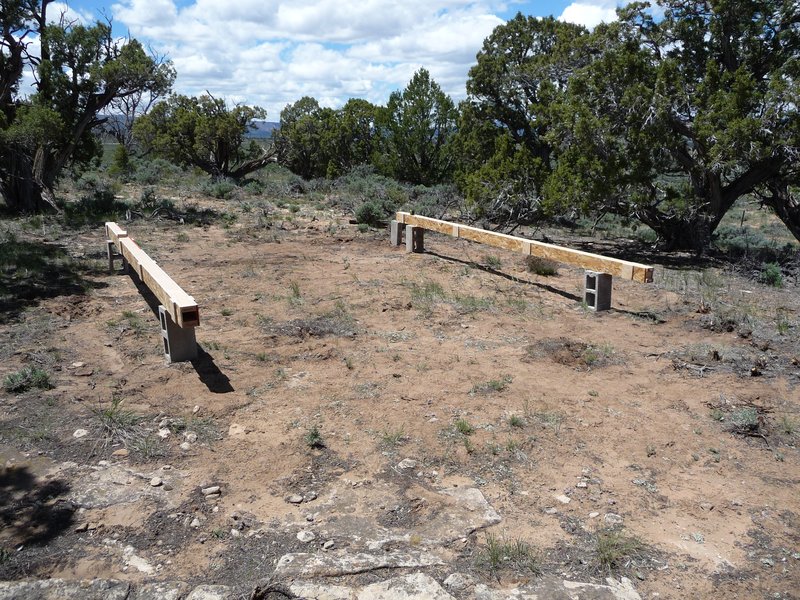
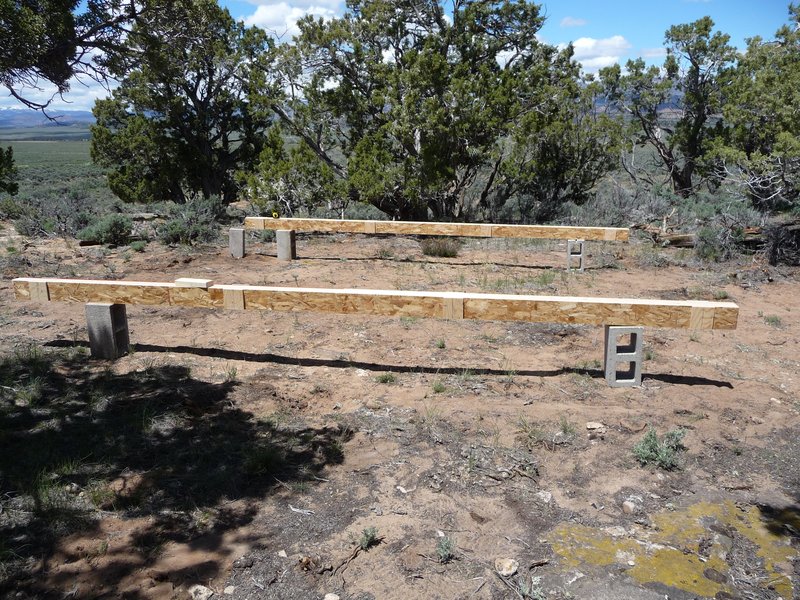
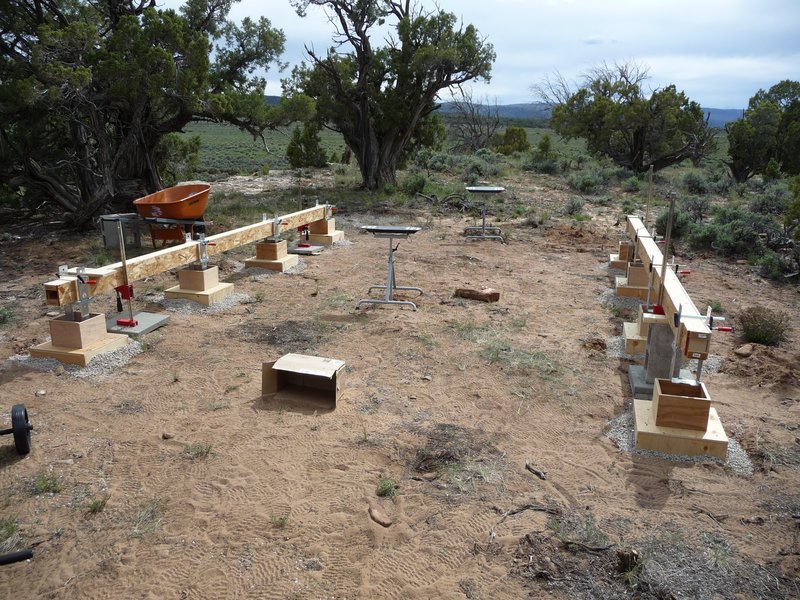
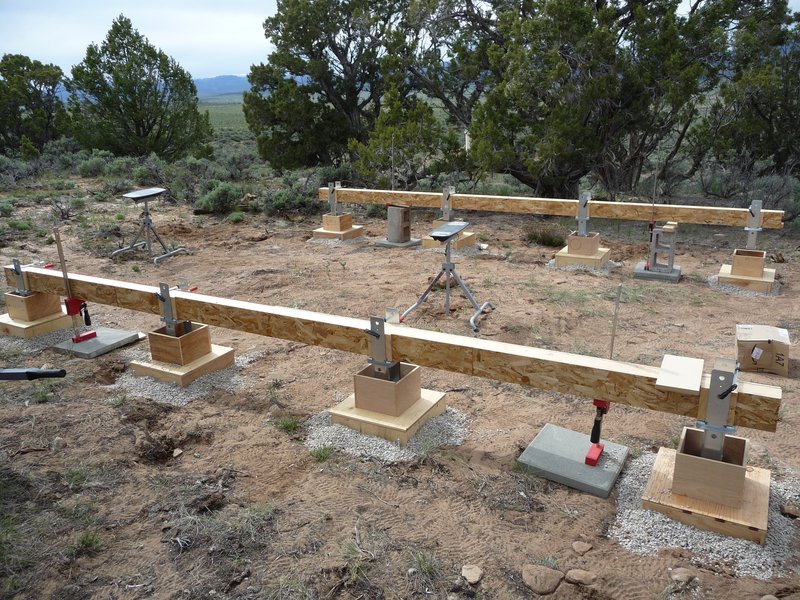
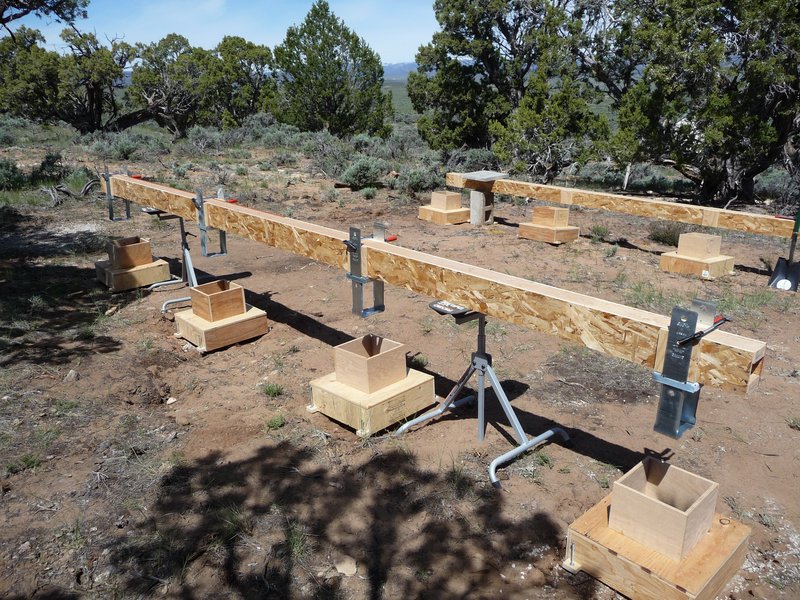
The plan for the foundation of the cabin is to use a “pier” foundation. In my particular case, I planned on four concrete piers per side, supporting two built up beams 16’ in length. The beams will be 6”x10”. The floor joists will be cantilevered 8” over the beams so the piers will sit fully under the floor and allow for easier skirting.
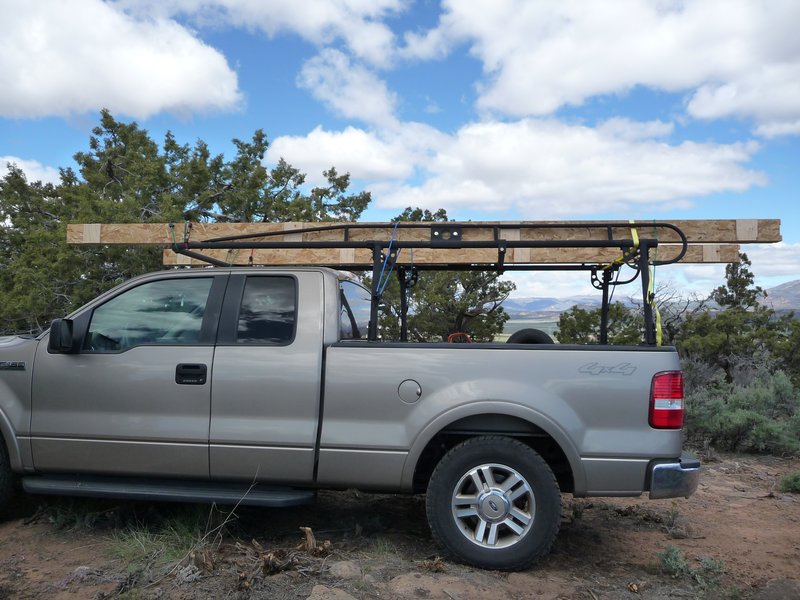
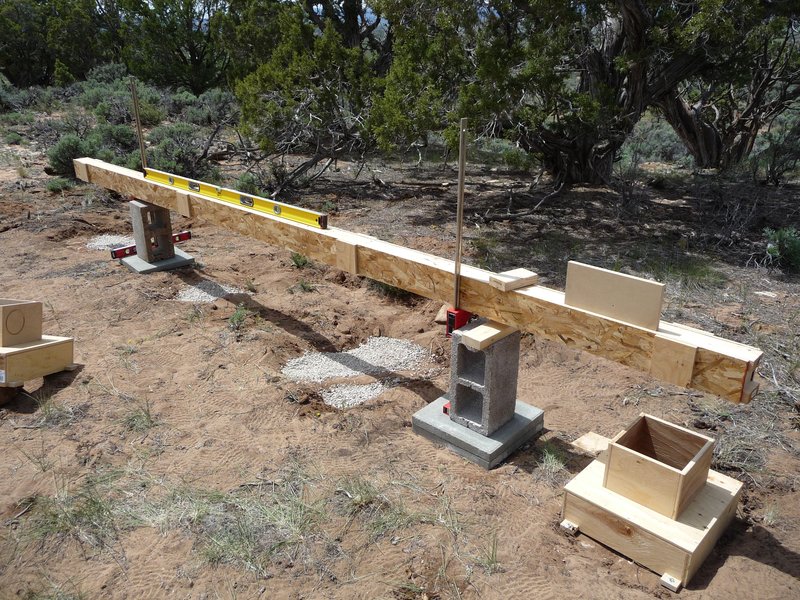
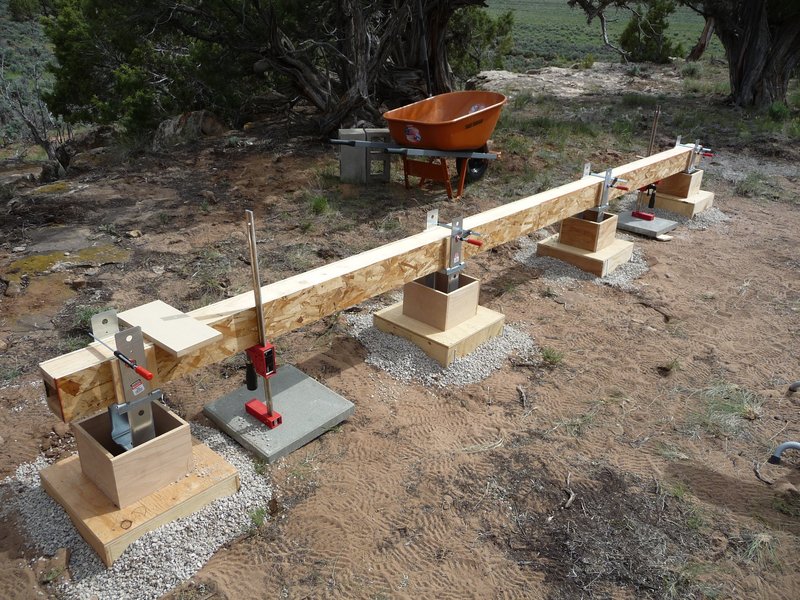
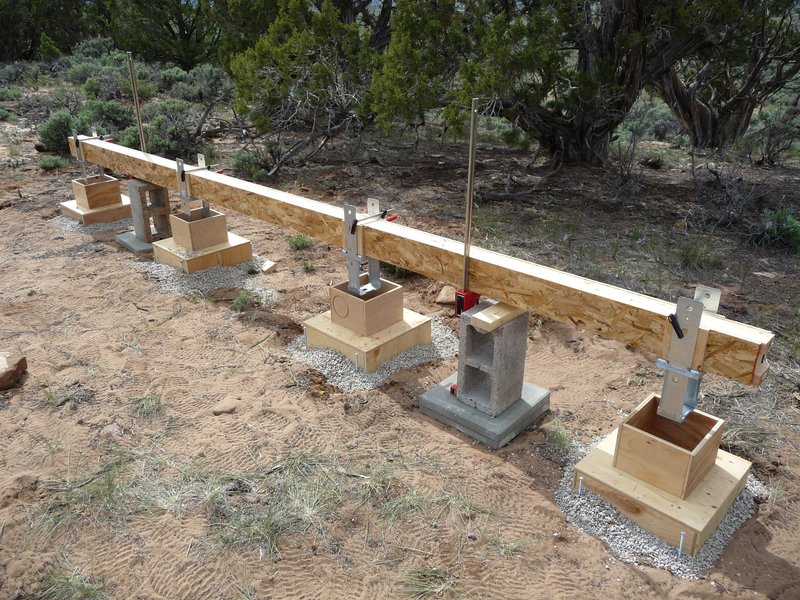
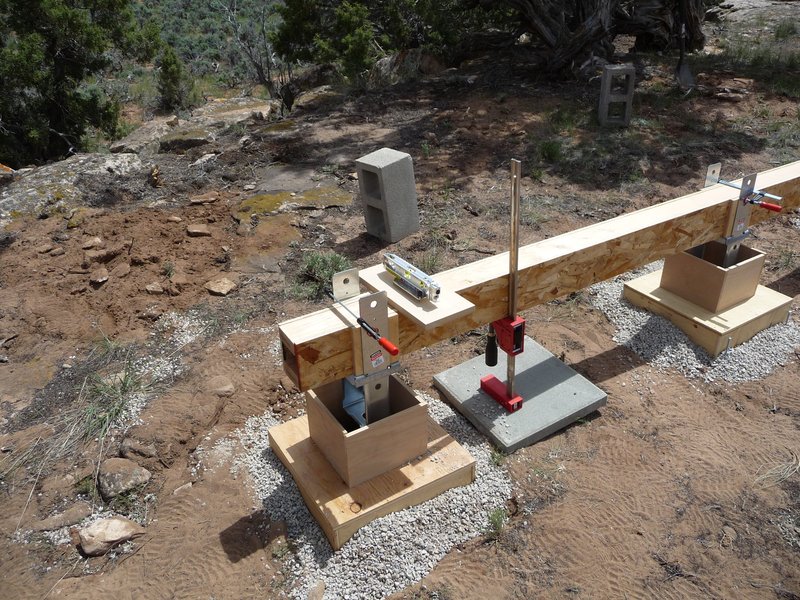
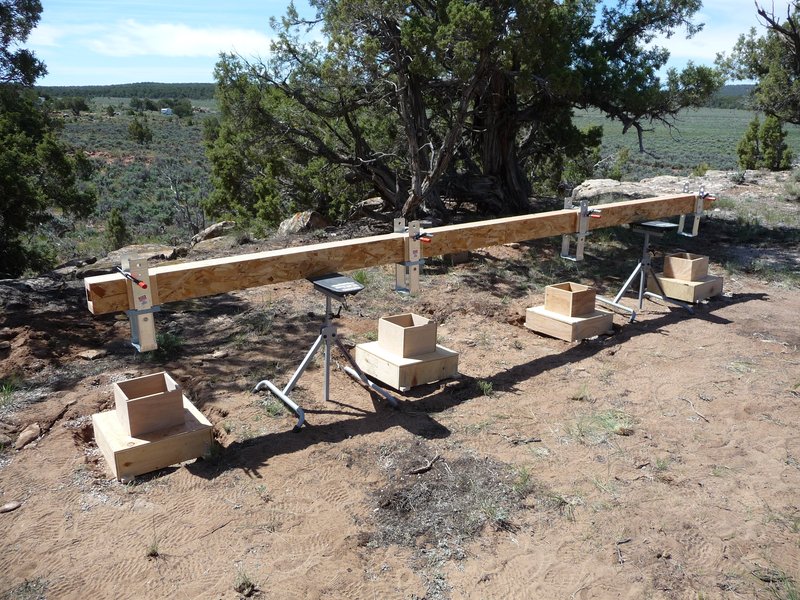
Due to the size and weight of the beams, it will be necessary to build them in place on the foundation piers. My primary concern was my ability to build the piers so that all eight would be at the same height, resulting in level beams. I attempted to overcome this difficulty by building a pair of “box beams” which would stand in for the actual beams while aligning the piers. The box beams are 16’ long and perfectly straight yet light enough to transport and manipulate single-handedly. I attached the steel beam anchors to the box beam in the precise locations I wanted them set in the piers.
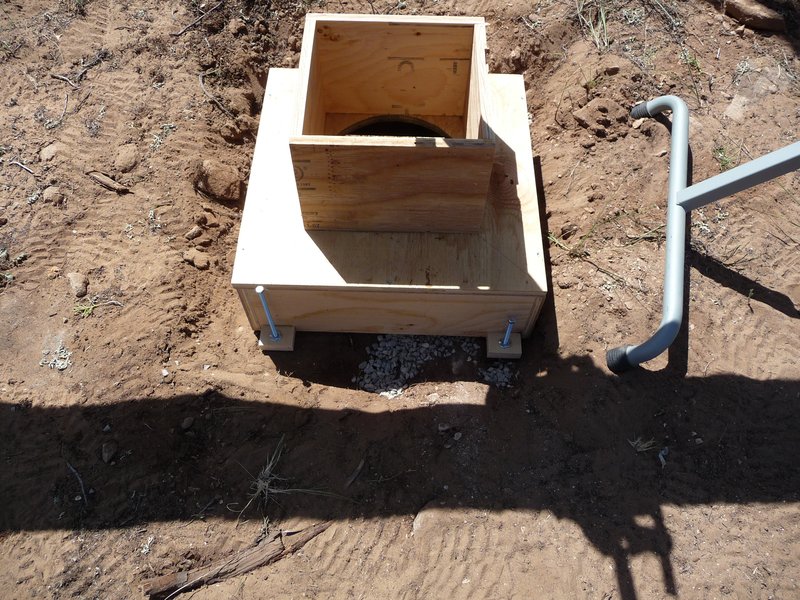
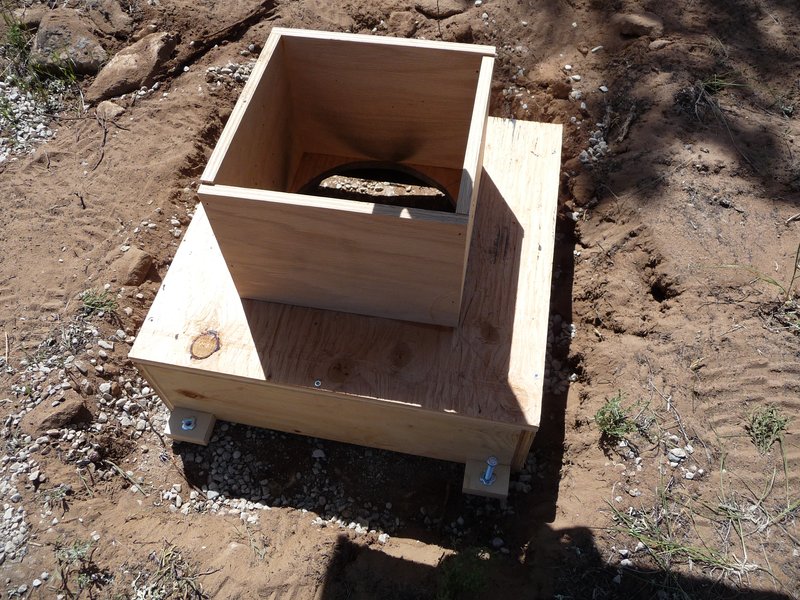
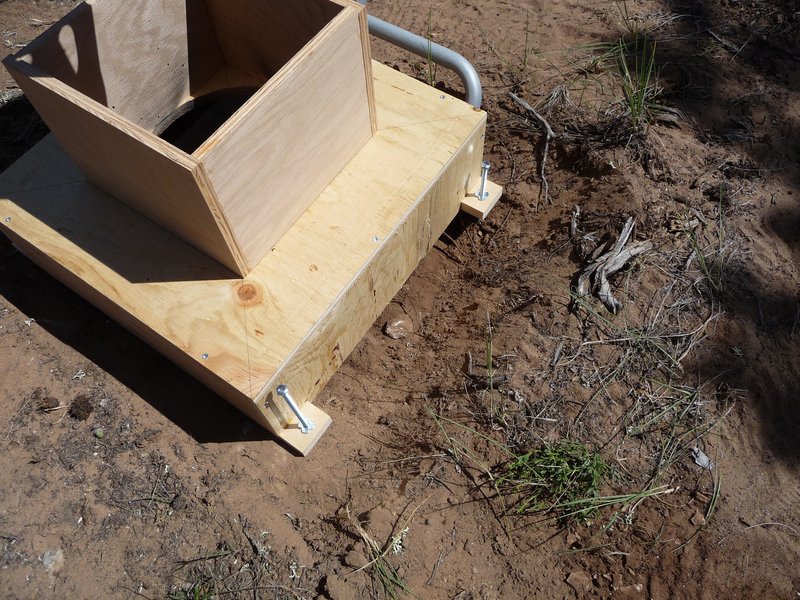
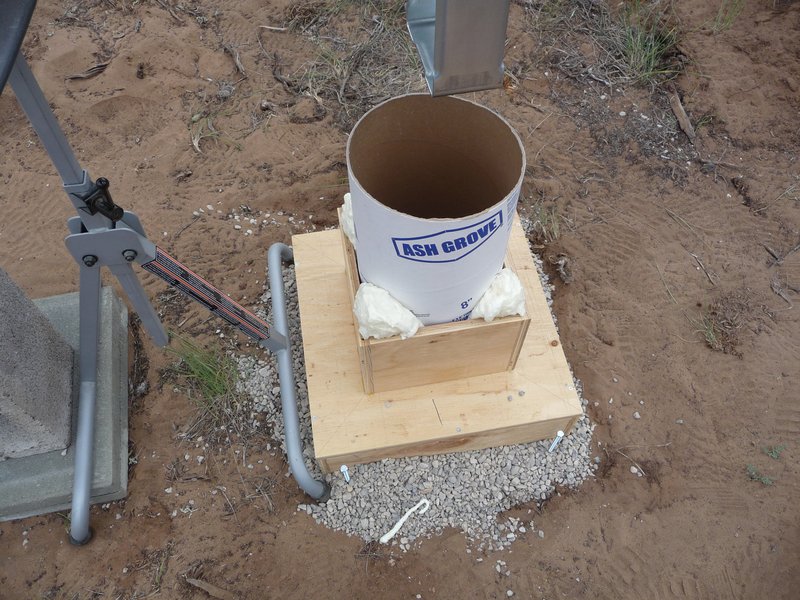
For the piers themselves, I built a set of eight forms from 5/8” plywood. The forms have a base of 16”x16”x5”. I cut a round hole in the top of each form to accept an 8” sonatube and added some “walls” to hold the sonatube in place. I added some threaded feet to each form to allow me to level it on the uneven ground.
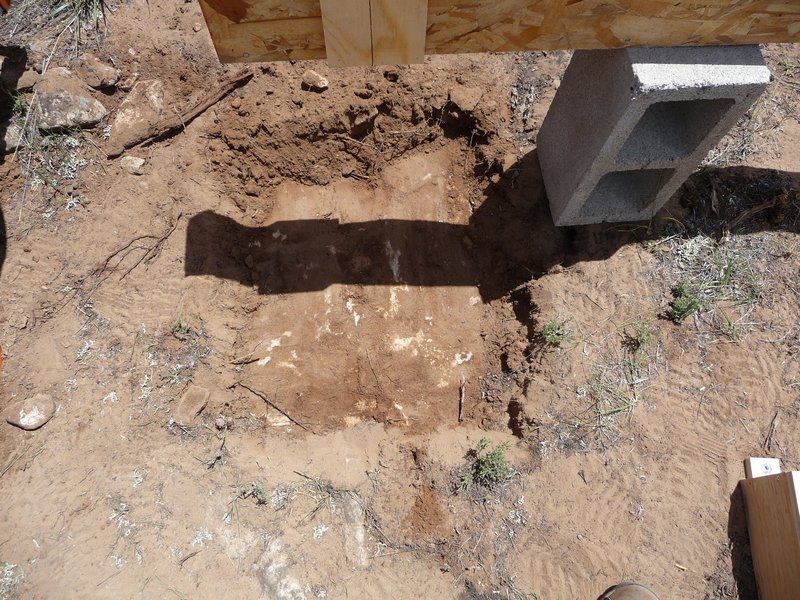
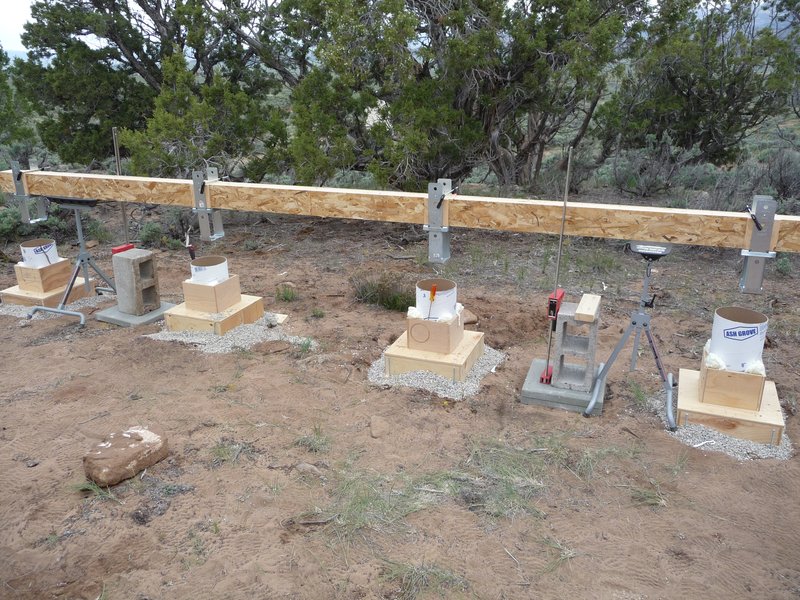
After positioning the box beams at the cabin site, I dug down to bare rock at each pier location. I placed the forms in position and levelled them with the levelling feet. In some cases, there were large gaps between the rock and the bottom of the form due to the uneven ground. I attempted to backfill these gaps with gravel.
Once all the forms were in place I cut the sonatubes to the correct height and placed them in the forms. I used some spray foam to keep them from shifting in their “housing.”
Before pouring the concrete into the forms I raised the box beams to allow access to the top of the sonatubes. The steel beam brackets were in the way otherwise.
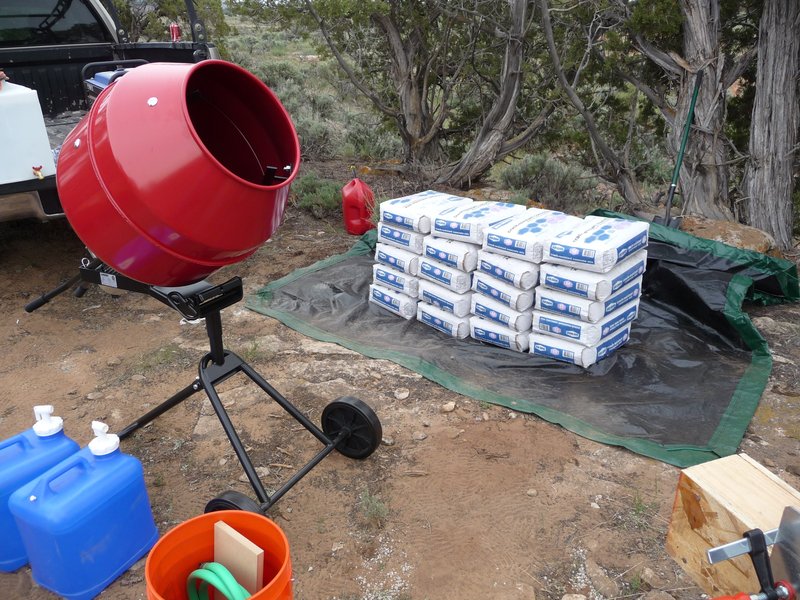
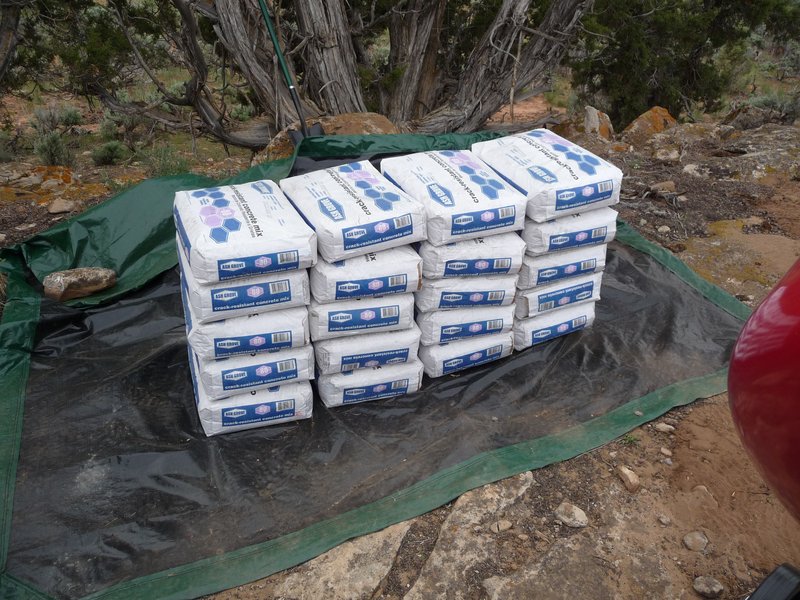
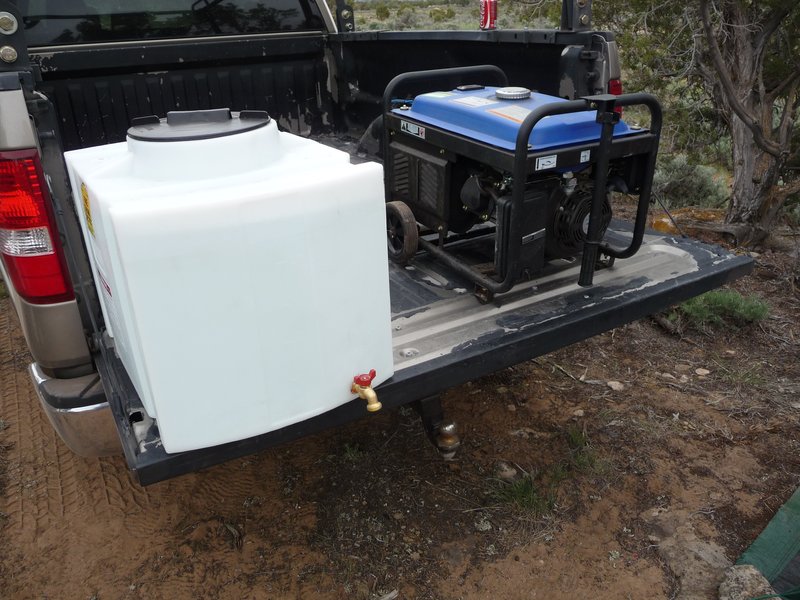
Finally I mixed and poured the concrete into the forms. For this I used a concrete mixer, a 25 gallon water tank, and my generator to run the mixer.
Results
Ultimately, my first attempt at building a foundation proved to be a failure. Here are the problems I encountered:
- Having never mixed concrete before, I believe I mixed the concrete for the first set of piers (4) too dry. I can’t be sure of this but I don’t feel too confident in the strength of the piers.
- Being unable to pour the concrete in the forms with the beam brackets in place caused me to have to insert four brackets into the wet concrete after pouring it into forms. This proved next to impossible, possibly because I mixed the concrete too dry. So some of the brackets weren’t fully seated into the concrete piers.
- The second set of pier forms were on much less even ground than the first set with large gaps at the bottom. The gravel backfilling didn’t prevent some of the forms from lifting and shifting as I poured the concrete. As they lifted, I rushed to weight them down with some nearby concrete blocks but didn’t prevent them from shifting somewhat. As a result, a couple of the beam brackets are too close to the edge of the pier.
Conclusion
I haven’t yet been back to the build site to remove the forms and inspect the piers however I’m not very confident the results will be acceptable. In any case, I feel I learned quite a bit about what worked and what didn’t and have better hopes for my next attempt (which will be much simpler). I’m not discouraged, despite the work that went into an ultimately unsuccessful project and plan on trying again within the next few weeks.
Weekend Project: Basement Workstation
Sunday, Jun 20, 2010
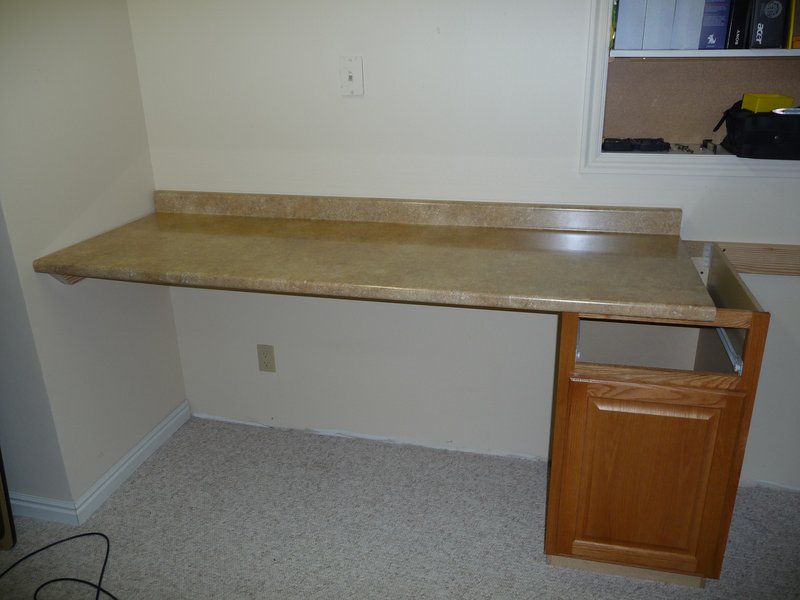
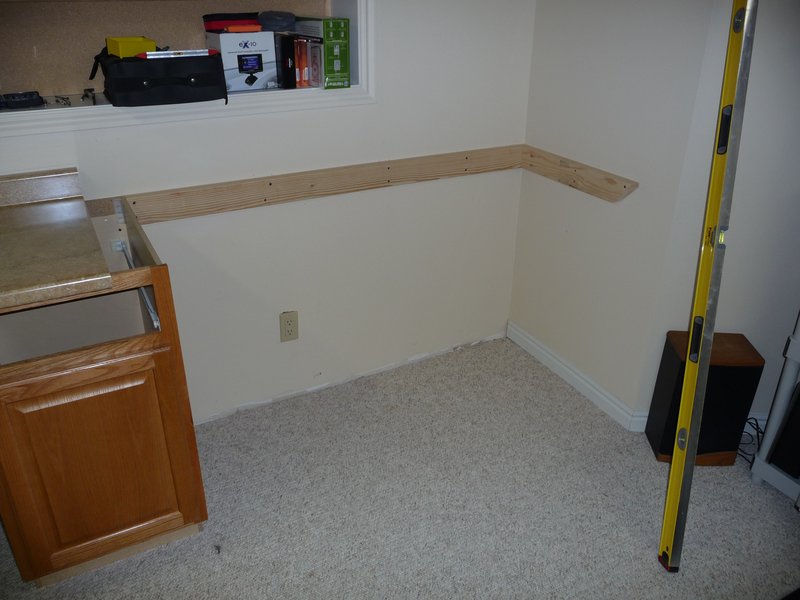
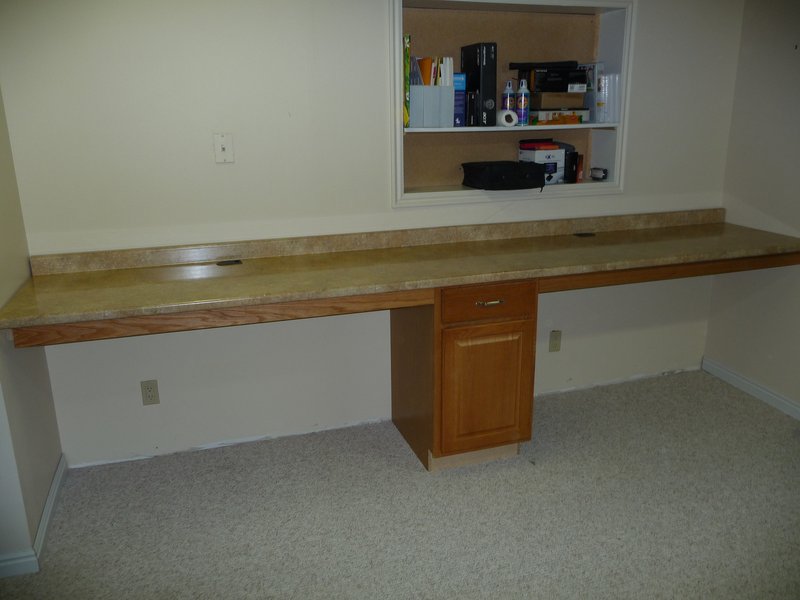
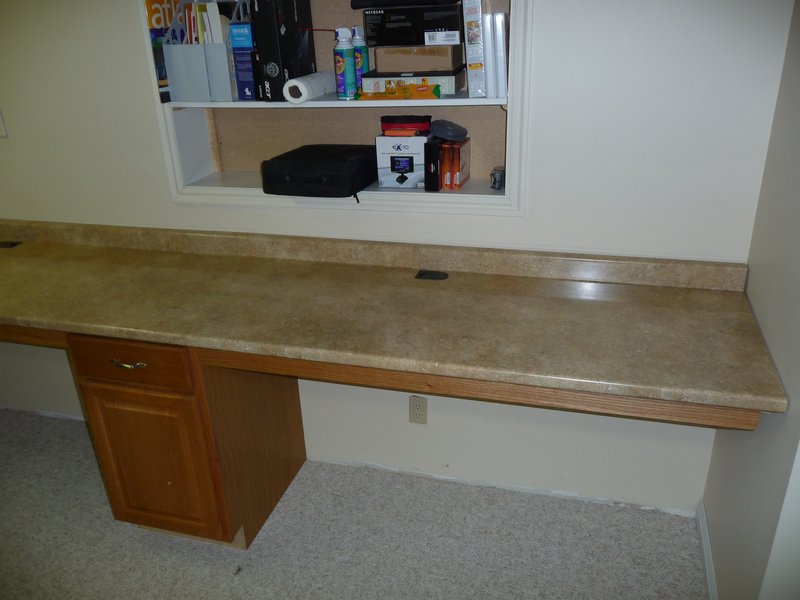
There’s a room in my basement where I have all my servers and where I do things like build and work on computers, hobbyist electronics, etc. I’ve been using a 6’ cafeteria table as a desk/workstation and finally got tired of having to move everything around each time I worked on something new. So this weekend I built a 11.5’ long work area along one wall of the basement room using a couple of pieces of kitchen countertop and a single base cabinet. Here are the results:
The countertops are supported on the back and sides with 2x4’s attached to the wall studs and on the front with a piece of 1.5” slotted angle iron and a 4” piece of oak. The slotted angle was necessary to keep the front of the countertop from flexing. I added two grommets for cable access, one on each side.
I still need to replace some of the base moulding along the back wall and add an oak toe kick on the bottom of the cabinet.
Arduinio Data Logger - Sketches
Monday, May 10, 2010
Functions for operating the uDrive by 4D Systems:
The data logger doesn’t use most of the functions for RAW mode but they should work.
#include <NewSoftSerial.h>
#include <WString.h>

const int uDrive_AcknowledgementTimeout = 1000;


// const

#define ACK 0x06  // Acknowledge byte (means ok)
#define NACK 0x15 // Negative acknoledge byte (means not ok)
#define EXTENDED 0x40
#define DEVICE_INFO 0x56

#define INITIALIZE_MODULE 0x55
#define INITIALIZE_DISK 0x69
#define SET_ADDR 0x41
#define READ_BYTE 0x72
#define WRITE_BYTE 0x77

#define READ_SECTOR 0x52
#define WRITE_SECTOR 0x57

#define FAT_READ 0x61
#define FAT_WRITE 0x74
#define FAT_LIST 0x64
#define FAT_DELETE 0x65
#define APPEND_MODE_ON 0x80
#define APPEND_MODE_OFF 0x00

#define TX_PIN 9
#define RX_PIN 10
#define RESET_PIN 8
#define LED_PIN 13

NewSoftSerial uDrive_serial(TX_PIN, RX_PIN);
boolean uDrive_isIntitialized = false;

boolean uDrive_isDiskloaded = false;

unsigned long uDrive_sectorAddress = 1; // next sector to write

byte uDrive_buffer[0];
int uDrive_buffer_index = 0;

/*******************/
/* COMMON COMMANDS */
/*******************/

// Initialize uDrive

boolean uDrive_Initialize ()
{
        // Reset device

        pinMode (RESET_PIN, OUTPUT);

        digitalWrite (RESET_PIN, LOW);
        delay (10);

        digitalWrite (RESET_PIN, HIGH);
        delay (1000);

        // Setup device
        uDrive_serial.begin(9600); // 38400, 28800, 14400, 9600, 1200 or 300
        uDrive_serial.print (INITIALIZE_MODULE, BYTE);

        if (!uDrive_CheckAcknowledgement (5000))
        {
          return false;
        }

        // return
        uDrive_isIntitialized = true;
        return true;

}

// Load Disk

boolean uDrive_LoadDisk ()
{

        uDrive_serial.print (EXTENDED, BYTE);

        uDrive_serial.print (INITIALIZE_DISK, BYTE);
        // check if successful
        if (!uDrive_CheckAcknowledgement ())

        return false;

        // return
        uDrive_isDiskloaded = true;

        return true;

}

void uDrive_DeviceInfo()
{

    uDrive_serial.print (DEVICE_INFO, BYTE);

    for (int i=0; i < 5; i++)
    {

        while (!uDrive_serial.available())
        {
            delay (10);

        }

        int val = uDrive_serial.read();

        Serial.println(val);
    }
}

void uDrive_FatProtect(boolean on)
{

    uDrive_serial.print (0x59, BYTE);

    uDrive_serial.print (0x08, BYTE);

    if (on)
      uDrive_serial.print (0x01, BYTE);

    else
      uDrive_serial.print (0x00, BYTE);

    WaitForAck();
}

// Check response if OK

boolean WaitForAck()
{
    char b = 0;
    while(b != ACK && b != NACK)
    {

        if(uDrive_serial.available() > 0)
        {
            b = uDrive_serial.read();

        }
    }

    if(b == ACK)
        {
          return true;
        }

    return false;

}

boolean uDrive_CheckAcknowledgement ()
{
        uDrive_CheckAcknowledgement (uDrive_AcknowledgementTimeout);
}

boolean uDrive_CheckAcknowledgement (int timeout)
{

        // wait for ack
        int iDelay = 10;
        int i = 0;

        while (!uDrive_serial.available())
        {
                delay (iDelay);
                if (timeout / iDelay < i)

                return false;
                i += 1;
        }

        // Read

        int val = uDrive_serial.read();

        // Return
        if (val != ACK)
        {

            return false;
        }
        return true;
}

void ClearJunk()
{

    while(uDrive_serial.available() > 0)
    {
        char c = uDrive_serial.read();
    }
}

void writeLong4(long data)
{
     uDrive_serial.print (((data >> 24) & 0xff), BYTE); // Filesize

     uDrive_serial.print (((data >> 16) & 0xff), BYTE);

     uDrive_serial.print (((data >> 8) & 0xff), BYTE);

     uDrive_serial.print (((data) & 0xff), BYTE);
}

void writeLong3(long data)
{

    uDrive_serial.print (((data >> 16) & 0xff), BYTE);

    uDrive_serial.print (((data >> 8) & 0xff), BYTE);

    uDrive_serial.print (((data) & 0xff), BYTE);
}

/***********************/
/* RAW ACCESS COMMANDS */
/***********************/

boolean setAddress(long addr)
{
        uDrive_serial.print (EXTENDED, BYTE);

        uDrive_serial.print (SET_ADDR, BYTE);

        writeLong4(addr);

        // check if successful
        if (uDrive_CheckAcknowledgement ())
        {
            return true;
        }
        else

        {
            return false;
        }

}

boolean writeByte(byte b)
{
    writeByte(b, -1);
}

boolean writeByte(byte b, long addr)
{
    boolean addrOk = true;

    if (addr >= 0)
    {
        addrOk = setAddress(addr);
    }

    if (addrOk)
    {
        uDrive_serial.print (EXTENDED, BYTE);

        uDrive_serial.print (WRITE_BYTE, BYTE);
        uDrive_serial.print (b, BYTE);

        if (uDrive_CheckAcknowledgement ())
        {
              return true;
        }
        else
        {

              return false;
        }
    }
    else
    {
       return false;
    }

}

byte readByte()
{
    readByte(-1);
}

byte readByte(long addr)
{

    boolean addrOk = true;
    if (addr >= 0)
    {

        addrOk = setAddress(addr);
    }

    if (addrOk)
    {

        uDrive_serial.print (EXTENDED, BYTE);
        uDrive_serial.print (READ_BYTE, BYTE);

        // wait for ack
        int iDelay = 10;
        int i = 0;

        while (!uDrive_serial.available())
        {
                delay (iDelay);
                if (uDrive_AcknowledgementTimeout / iDelay < i)

                return false;
                i += 1;
        }
        // Read
        byte val = uDrive_serial.read();

        return val;
    }
    else
    {
       return false;
    }

}

void readSector(long addr)
{
    uDrive_serial.print (EXTENDED, BYTE);

    uDrive_serial.print (READ_SECTOR, BYTE);

    writeLong3(addr);

    int count = 0;

    while (count < 512)
    {

        if (uDrive_serial.available() > 0)
        {
            uDrive_buffer[count] = uDrive_serial.read();

            count ++;
        }
        else
        {
            delay(10);
        }
    }
}

boolean writeSector(long addr)
{
    uDrive_serial.print (EXTENDED, BYTE);

    uDrive_serial.print (WRITE_SECTOR, BYTE);

    writeLong3(addr);

    for (int i=0; i < 512; i++)
    {

        uDrive_serial.print(uDrive_buffer[i], BYTE);
    }

    if (uDrive_CheckAcknowledgement ())
    {
        return true;
    }

    else
    {
        return false;
    }

}

boolean writeHeader()
{
    for (int i=0; i < 512; i++)
    {

      uDrive_buffer[i] = 0;
    }

    uDrive_buffer[0] = ((uDrive_sectorAddress >> 16) & 0xff);

    uDrive_buffer[1] = ((uDrive_sectorAddress >> 8) & 0xff);
    uDrive_buffer[2] = ((uDrive_sectorAddress) & 0xff);

    return writeSector(0);
}

void readHeader()
{
    for (int i=0; i < 512; i++)
    {

        uDrive_buffer[i] = 0;
    }
    uDrive_buffer_index = 0;

    readSector(0);

    uDrive_sectorAddress = 0;

    uDrive_sectorAddress = uDrive_sectorAddress | uDrive_buffer[0];

    uDrive_sectorAddress = uDrive_sectorAddress << 8;
    uDrive_sectorAddress = uDrive_sectorAddress | uDrive_buffer[1];

    uDrive_sectorAddress = uDrive_sectorAddress << 8;
    uDrive_sectorAddress = uDrive_sectorAddress | uDrive_buffer[2];
}

void clearDisk()
{
    for (int i=0; i < 512; i++)
    {

        uDrive_buffer[i] = 0;
    }
    uDrive_buffer_index = 0;

    uDrive_sectorAddress = 1;

    writeHeader();

}

boolean writeSample(byte sample)
{

    boolean result = true;
    uDrive_buffer[uDrive_buffer_index] = sample;

    if (uDrive_buffer_index == 511)
    {

        uDrive_buffer_index = 0;

        result = writeSector(uDrive_sectorAddress);

        if (result)
        {

            uDrive_sectorAddress++;
            writeHeader();
        }
    }
    else
    {
        uDrive_buffer_index++;
    }

    return result;
}

/***********************/
/* FAT ACCESS COMMANDS */
/***********************/

boolean uDrive_WriteFile(char *file, boolean overwrite, long numBytes, char *buff)
{

        ClearJunk();

        // command header
        uDrive_serial.print(EXTENDED, BYTE);

        uDrive_serial.print(FAT_WRITE, BYTE);

        // handshaking, append
        if(overwrite)

                uDrive_serial.print(0x00 | APPEND_MODE_OFF, BYTE);
        else

                uDrive_serial.print(0x00 | APPEND_MODE_ON, BYTE);

        for(int i = 0; i < strlen(file); i++)
        {

            uDrive_serial.print(file[i], BYTE);

        }

        uDrive_serial.print(0x00, BYTE);

        // file size
        writeLong4(numBytes+1);

        // wait for ack

        if (!WaitForAck())
        {

            return false;
        }

        for(int i = 0; i < numBytes; i++)
        {

                uDrive_serial.print(buff[i], BYTE);

        }

        uDrive_serial.print(0x0A, BYTE);

        // wait for ack
        if (!WaitForAck())
        {
            return false;
        }

        return true;
}

String uDrive_ListFiles()
{
        ClearJunk();

        // command header
        uDrive_serial.print(EXTENDED, BYTE);

        uDrive_serial.print(FAT_LIST, BYTE);

        uDrive_serial.print("*.*");

        uDrive_serial.print(0x00, BYTE);

        int count = 0;

        String inString = String(50);

        while (count < 50)
        {

            if (uDrive_serial.available() > 0)
            {
                char c = uDrive_serial.read();

                if (c == ACK)
                {
                break;
                }
                else

                {
                    inString.append(c);
                    count++;
                }
            }
            else

            {
            delay(10);
            }
        }

        return inString;
}

boolean uDrive_EraseFile(char *file)
{

        ClearJunk();

        // command header
        uDrive_serial.print(EXTENDED, BYTE);

        uDrive_serial.print(FAT_DELETE, BYTE);

        for(int i = 0; i < strlen(file); i++)
        {

            uDrive_serial.print(file[i], BYTE);

        }

        uDrive_serial.print(0x00, BYTE);

        // wait for ack
        if (!WaitForAck())
        {
            return false;
        }

        return true;
}

int uDrive_ReadInt()
{
        int iDelay = 10;
        int i = 0;

        while (!uDrive_serial.available())
        {
                delay (iDelay);
                if (uDrive_AcknowledgementTimeout / iDelay < i)

                return false;
                i += 1;
        }
        // Read
        int val = uDrive_serial.read();

        return val;
}

char uDrive_ReadChar()
{
        int iDelay = 10;

        int i = 0;
        while (!uDrive_serial.available())
        {

                delay (iDelay);
                if (uDrive_AcknowledgementTimeout / iDelay < i)

                return false;
                i += 1;
        }
        // Read
        char val = uDrive_serial.read();

        return val;
}

boolean uDrive_ReadFile(char *file)
{
        ClearJunk();

        // command header
        uDrive_serial.print(EXTENDED, BYTE);
        uDrive_serial.print(FAT_READ, BYTE);

        uDrive_serial.print(0x32, BYTE);

        for(int i = 0; i < strlen(file); i++)
        {

            uDrive_serial.print(file[i], BYTE);

        }

        uDrive_serial.print(0x00, BYTE);

        long size = 0;
        long data = 0;

        data = uDrive_ReadInt();
        size = size | (data << 24);

        data = uDrive_ReadInt();
        size = size | (data << 16);

        data = uDrive_ReadInt();
        size = size | (data << 8);

        data = uDrive_ReadInt();
        size = size | (data);

        uDrive_serial.print(ACK, BYTE);

        String inString = String(50);

        char count = 0;
        for(int i = 0; i < size; i++)
        {

          char c = uDrive_ReadChar();
          inString.append(c);

          // handshake
          if(count == 49)
          {
            Serial.print(inString);

            inString.clear();
            count = 0;
            uDrive_serial.print(ACK, BYTE);
          }

          else
          {
             count++;
          }

        }

        Serial.print(inString);

        // wait for ack
        if (!WaitForAck())
        {
            return false;
        }

        return true;
}

int uDrive_FileSize(char *file)
{
        ClearJunk();

        // command header

        uDrive_serial.print(EXTENDED, BYTE);
        uDrive_serial.print(FAT_READ, BYTE);

        uDrive_serial.print(0x32, BYTE);

        for(int i = 0; i < strlen(file); i++)
        {

            uDrive_serial.print(file[i], BYTE);

        }

        uDrive_serial.print(0x00, BYTE);

        long size = 0;
        long data = 0;

        data = uDrive_ReadInt();
        size = size | (data << 24);

        data = uDrive_ReadInt();
        size = size | (data << 16);

        data = uDrive_ReadInt();
        size = size | (data << 8);

        data = uDrive_ReadInt();
        size = size | (data);

        uDrive_serial.print(NACK, BYTE);

        return size;
}
This is the main data logger code:
/* Arduino sketch for Inspeed Vortex windspeed instrument
The anemometer.


=========================================================
ANEMOMETER
=========================================================
This is connected to Arduino ground on one side, and pin 2 (for the
attachInterrupt(0, ...) on the other.
Pin 2 is pulled up, and the reed switch on the anemometer will send
that to ground once per revolution, which will trigger the interrupt.
We count the number of revolutions in 5 seconds, and divide by 5.
One Hz (rev/sec) = 2.5 mph.

*********************************************************************/

#include <LiquidCrystal.h>
#include<stdlib.h>

#define uint  unsigned int
#define ulong unsigned long

#define DEBUG_MODE false
#define SERIAL_MODE true

#define PIN_ANEMOMETER  2     // Digital 2

// How often we want to calculate wind speed (msec)
#define MSECS_CALC_WIND_SPEED 10000.0 // 10 sec
#define AVG_SPEED_MULTIPLIER 30.0 // 5 min

volatile int numRevsAnemometer = 0; // Incremented in the interrupt


float avgSpeedTotal = 0;
ulong nextCalcSpeed;                // When we next calc the wind speed
ulong nextAvgCalcSpeed;                // When we next calc the average wind speed

ulong time;   // Millis() at each start of loop().
unsigned writeCount = 0;

LiquidCrystal lcd(12, 11, 6, 5, 4, 3);

void setup()
{

        // LED (2 * blink)
        pinMode(LED_PIN, OUTPUT);

        digitalWrite(LED_PIN, HIGH);
        delay(200);
        digitalWrite(LED_PIN, LOW);

        delay(200);
        digitalWrite(LED_PIN, HIGH);

        pinMode(PIN_ANEMOMETER, INPUT);

    digitalWrite(PIN_ANEMOMETER, HIGH);
    attachInterrupt(0, countAnemometer, FALLING);

    nextCalcSpeed = millis() + MSECS_CALC_WIND_SPEED;
        nextAvgCalcSpeed = millis() + (MSECS_CALC_WIND_SPEED * AVG_SPEED_MULTIPLIER);

    // set up the LCD's number of rows and columns:

    lcd.begin(16, 2);

    // Print a message to the LCD.
    lcd.clear();

    lcd.print("Setup begin");

        // Serial

        if ((DEBUG_MODE) || (SERIAL_MODE))
        {

          Serial.begin(9600);
          Console ("Setup begin");
        }

        // Initialize uDrive
        if (!uDrive_Initialize ())
        {
            Console ("Device not initialized");

            lcd.clear();
            lcd.print("Device not initialized");
        }

        // Check if Disk is inserted
        if (!uDrive_LoadDisk())
        {

                Console ("Disk not loaded");
                lcd.clear();
                lcd.print("Disk not loaded");
        }

        char buffer[] = "START";

        uDrive_WriteFile("SPEED.TXT", false, strlen(buffer), buffer);

        lcd.clear();
        lcd.print("Setup done");

        lcd.clear();

        lcd.setCursor(0,0);
    lcd.print("Spd:");

        lcd.setCursor(0,1);
    lcd.print("Avg:");

}

void Console(char *text)
{
   if (DEBUG_MODE)
   {

       Serial.println(text);
   }
}

//=======================================================
// Calculate the wind speed
// 1 rev/sec = 2.5 mph
//=======================================================
void calcWindSpeed2()
{

  writeCount++;

  char buffer[6];

  float seconds = MSECS_CALC_WIND_SPEED / 1000.0;

  float revsPerSecond = (float)numRevsAnemometer / seconds;

  float fspeed = revsPerSecond * 2.5;

  Console("Speed:");
  Console(dtostrf(fspeed,4,1,buffer));

  dtostrf(fspeed,4,1,buffer);

  lcd.setCursor(5,0);

  lcd.print(buffer);

  avgSpeedTotal += fspeed;

  if (time > nextAvgCalcSpeed)
  {

      float aspeed = avgSpeedTotal / AVG_SPEED_MULTIPLIER;

      avgSpeedTotal = 0;

      char abuffer[6];
      dtostrf(aspeed,4,1,abuffer);

      lcd.setCursor(5,1);
      lcd.print(abuffer);

      nextAvgCalcSpeed = time + (MSECS_CALC_WIND_SPEED * AVG_SPEED_MULTIPLIER);
  }

  //writeSample(numRevsAnemometer);


  if (uDrive_WriteFile("SPEED.TXT", false, strlen(buffer), buffer))
  {

    Console("Write OK");
    lcd.setCursor(15,1);
    lcd.print("*");
  }

  else
  {
    Console("Write Failed");
    lcd.setCursor(15,1);

    lcd.print("e");
  }

  lcd.setCursor(10,0);

  char count[11];
  sprintf(count, "%06d", writeCount);

  lcd.print(count);

  numRevsAnemometer = 0;        // Reset counter

}
//=======================================================
// Interrupt handler for anemometer. Called each time the reed
// switch triggers (one revolution).
//=======================================================
void countAnemometer()
{
  numRevsAnemometer++;
}

//=======================================================
// Main loop.
//=======================================================
void loop()
{

    boolean paused = false;

    if (SERIAL_MODE)
    {
        int incomingByte = 0;

        if (Serial.available() > 0)
        {
            incomingByte = Serial.read();

            if ((incomingByte == 76) || (incomingByte==108)) // L
            {

               String list = uDrive_ListFiles();
               Serial.println("Files:");
               Serial.println(list);

            }

            else if ((incomingByte == 115) || (incomingByte==83)) // S - Start Writing
            {
                 numRevsAnemometer = 0;
                 nextCalcSpeed = millis() + MSECS_CALC_WIND_SPEED;

                 nextAvgCalcSpeed = millis() + (MSECS_CALC_WIND_SPEED * AVG_SPEED_MULTIPLIER);

                 paused = false;
                 lcd.setCursor(15,1);

                 lcd.print(" ");
                 Serial.println("Data logging started.");
            }
            else if ((incomingByte == 112) || (incomingByte==80)) // P - Pause Writing

            {
                 paused = true;
                 lcd.setCursor(15,1);

                 lcd.print("P");
                 Serial.println("Data logging paused.");
            }
            else if ((incomingByte == 100) || (incomingByte==68)) // D - Delete File

            {
                 if (uDrive_EraseFile("SPEED.TXT"))
                 {
                     Serial.println("File deleted successfully");

                     writeCount = 0;
                 }
                 else
                 {
                     Serial.println("Error deleting file");
                 }
            }

            else if ((incomingByte == 114) || (incomingByte==82)) // R - Read File
            {
                 uDrive_ReadFile("SPEED.TXT");
            }

            else if ((incomingByte == 70) || (incomingByte==102)) // F - Read File Size
            {
                 Serial.print("File Size: ");
                 Serial.println(uDrive_FileSize("SPEED.TXT"));

            }

            else if ((incomingByte == 77) || (incomingByte==109)) // M - Show Menu
            {

                 Serial.println("M - Show this menu");
                 Serial.println("L - List files");
                 Serial.println("P - Pause file writing");

                 Serial.println("S - Start file writing");
                 Serial.println("R - Read file");
                 Serial.println("D - Delete file");

                 Serial.println("F - Show file size");
            }

        }
    }

    if (!paused)
    {
        time = millis();

        if (time >= nextCalcSpeed)
        {
            calcWindSpeed2();
            nextCalcSpeed = time + MSECS_CALC_WIND_SPEED;
        }
    }
}
Arduino Wind Speed Data Logger
Monday, May 10, 2010
My long-term plan for providing electricity when I eventually reside on the land involves a combination of solar panels and wind turbine(s). I wanted an accurate measure of what the general wind situation was like at the location in order to determine if wind turbines were feasible and to be able to estimate how much power I would be able to extract from the wind. I decided to place some kind of wind speed data logger at the location to provide this data.
The primary issue was that I currently have no full-time electricity in the mini-cabin so I needed something that would run for weeks or months on battery power, otherwise I would have just used a computer and store bought weather station. I did find a couple of existing battery powered data loggers but they were fairly expensive. In any case, I built my own.
Wind Sensor/Anemometer:
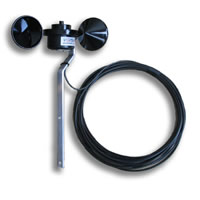
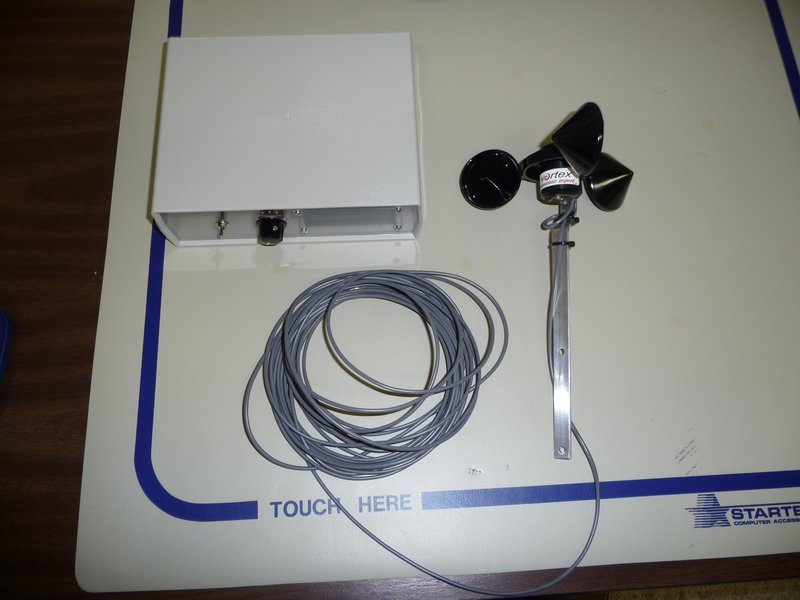
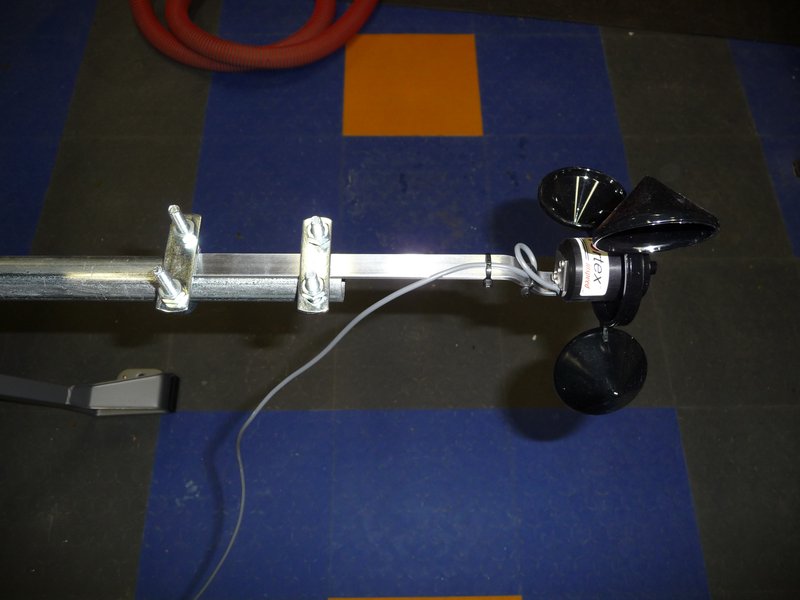
For the actual sensor component, I used an Inspeed Vortex.
This sensor uses a reed switch/magnet to send one pulse along the wire per revolution.
The wind speed is calculated using the formula: 2.5 mph per Hz (1 Hz = 1 pulse/second)
Data Logger:
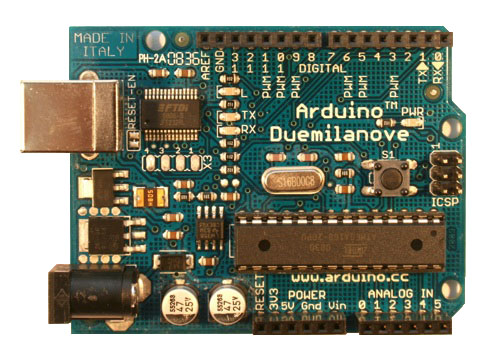
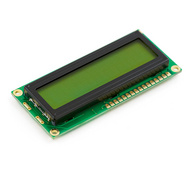
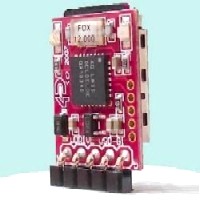
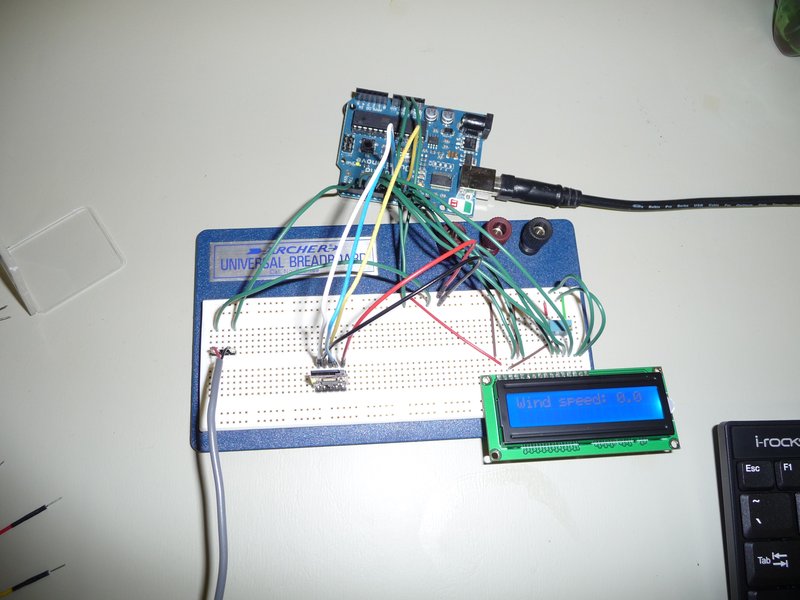
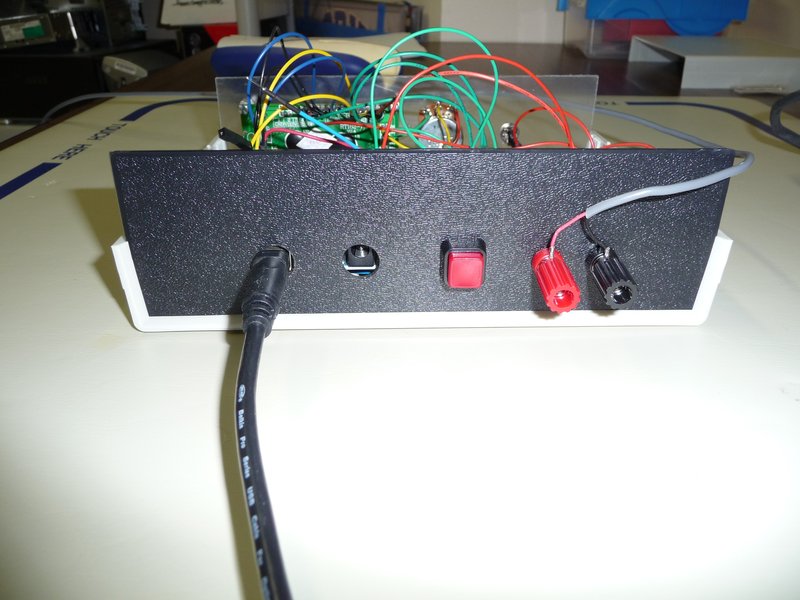
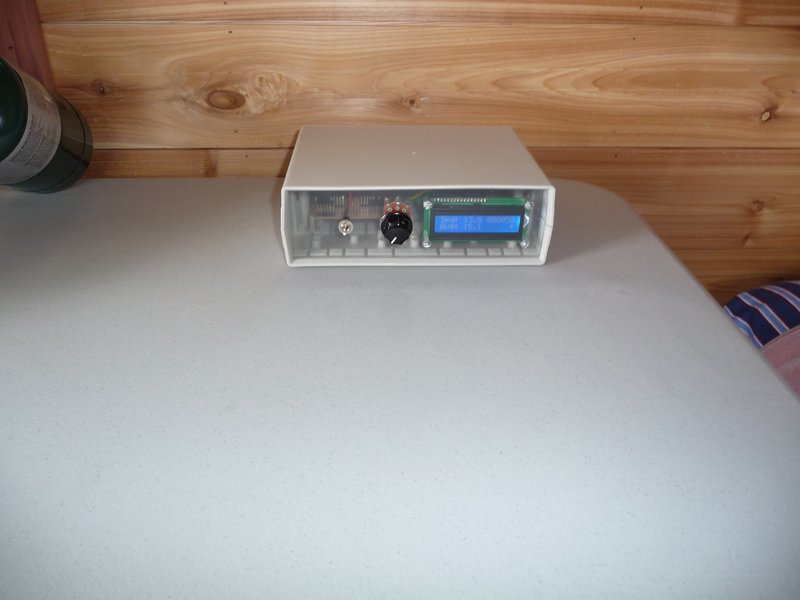
I used an Arduino Duemilanove for the processor, a 16x2 LCD to display output and status messages, and a uDrive from 4D Systems to log to a microSD card.
The Arduino Duemilanove is a microcontroller board based on the ATmega328 (datasheet). It has 14 digital input/output pins, 6 analog inputs, a 16 MHz crystal oscillator, a USB connection, a power jack, an ICSP header, and a reset button. It can be programmed in c using the Arduino IDE via a USB connection to a computer.
The LCD is a standard 16x2 parallel character LCD w/ backlight. I’m using it in 4-bit mode to reduce the required I/O pins.
The uDrive is a microSD card module that supports a serial interface and a FAT16 file system (as well as raw mode). I did experiment using an SD card directly via the Arduino’s SPI interface. It worked fine but none of the available libraries supporting FAT had as complete a feature set as the uDrive or seemed robust enough. The uDrive was simple to connect, simple to program, and was very reliable. The only issue I had was trying to mount it in an enclosure.
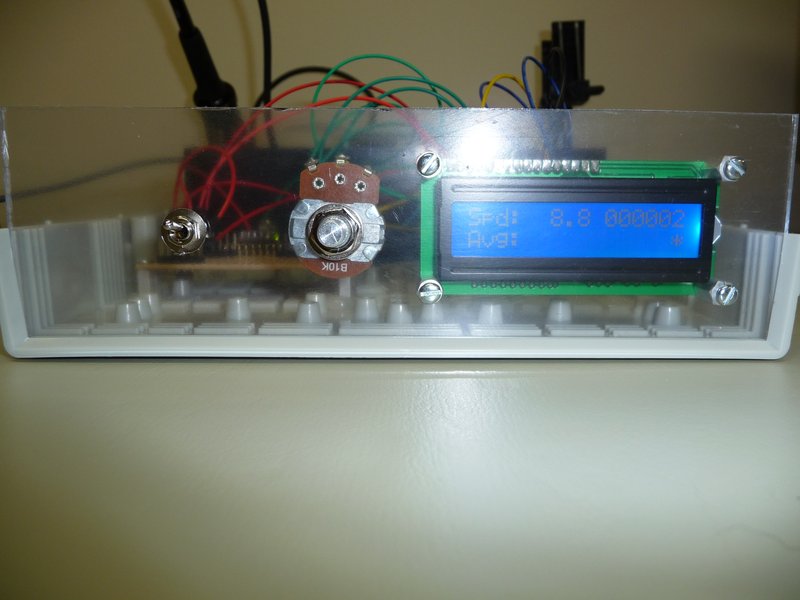
The Arduino counts the pulses from the wind sensor via an interrupt and every 10 secs calculates the wind speed and 1) displays the speed on the lcd, and 2) writes the speed to a file on the SD card. It also keeps track of the average wind speed over the previous 30 minutes but just displays it on the lcd.
Serial output while testing:
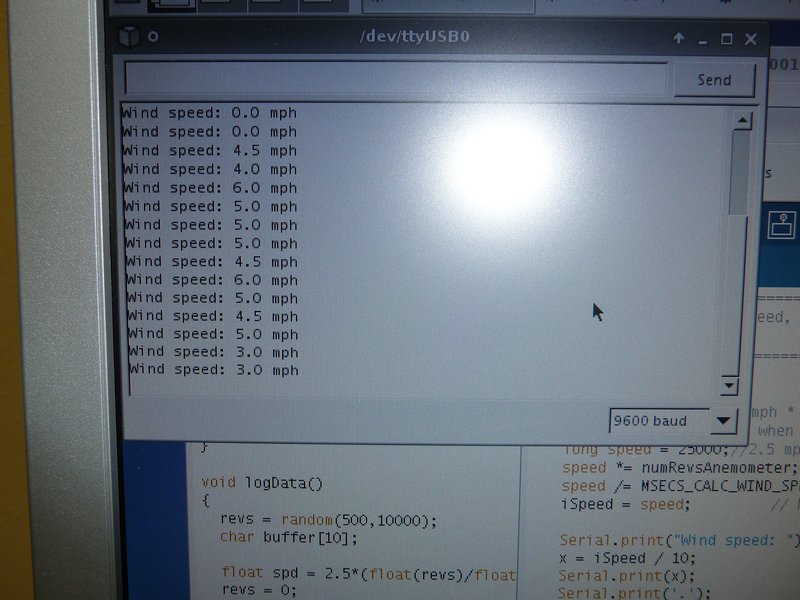
When connected to a PC via the Arduino’s USB/Serial interface, a simple menu can be used to send commands to the data logger, including: Read File Data, Erase File, List Files on Card, Pause Logging, Restart Logging, and Show File Size. The Read File Data command can be used to retrieve the data on the SD card without having to remove the card.
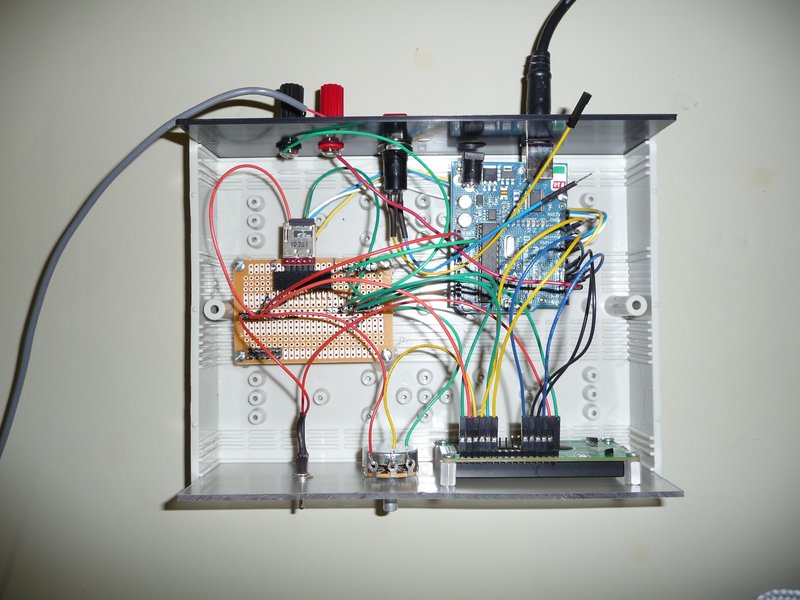
I mounted the components in a project case with a pot for controlling the LCD contrast and a switch to toggle the backlight on the LCD (to save power when not needed).
Powering the Data Logger:
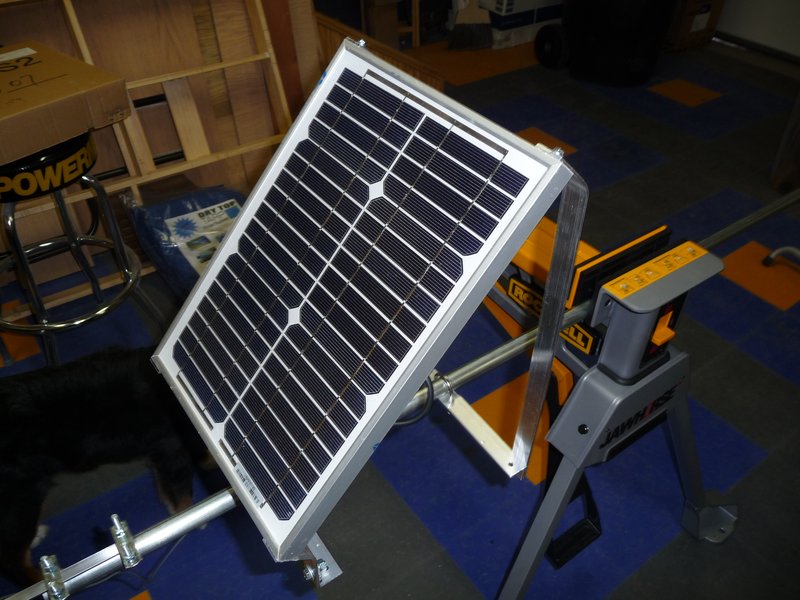
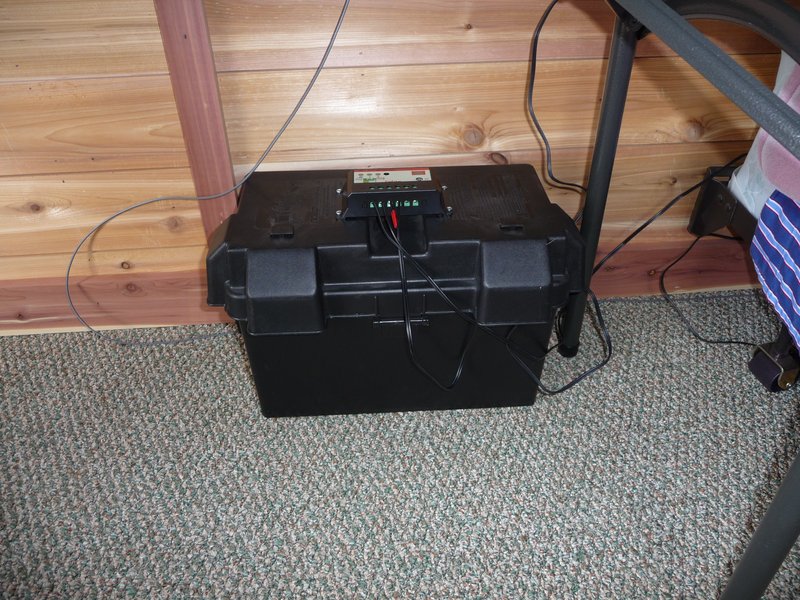
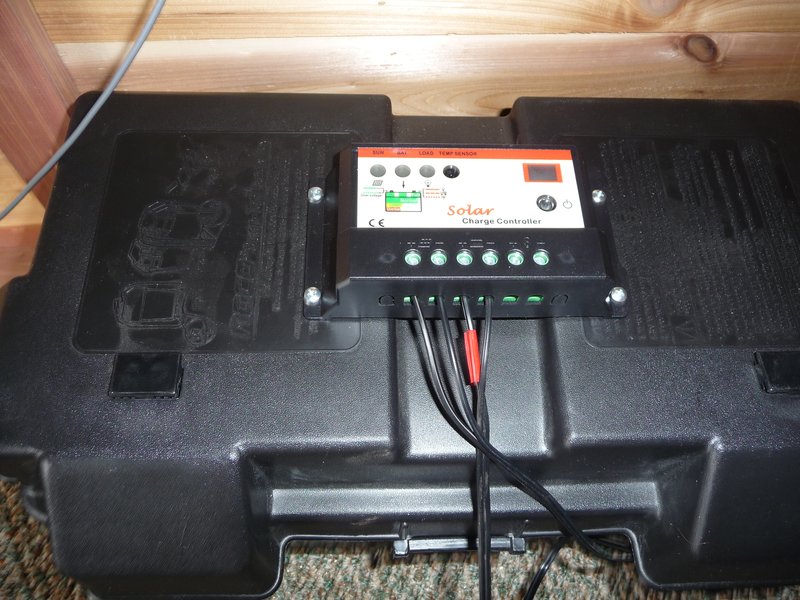
I was already using a deep-cycle battery for power while staying overnight at the mini-cabin which I would charge at home and take it back and forth. The 12V battery would power the data logger directly so I bought a 10W solar panel and a charge controller to keep the battery charged continuously. The small draw of the data logger probably wouldn’t drain the battery for months but since I use the battery for laptop, light, etc., when staying at the mini-cabin, I needed to be able to replenish the charge to ensure the data logger runs continuously.
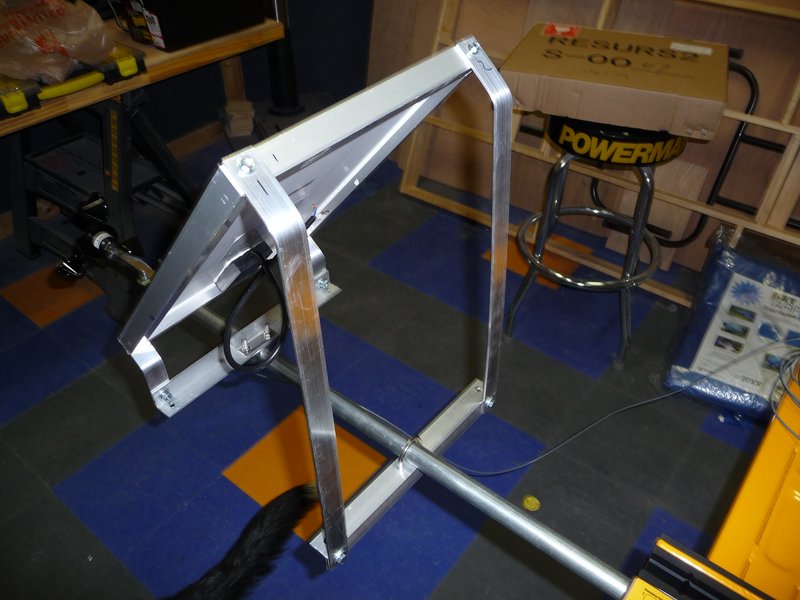
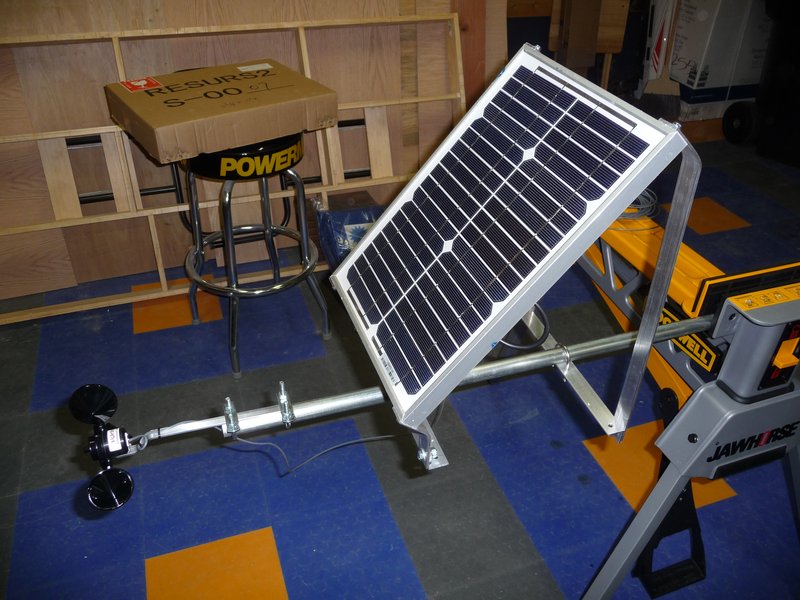
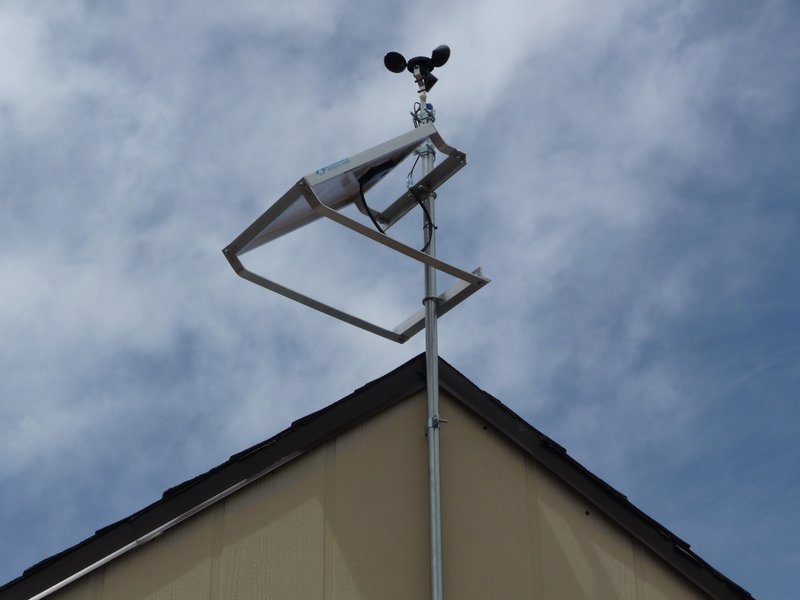
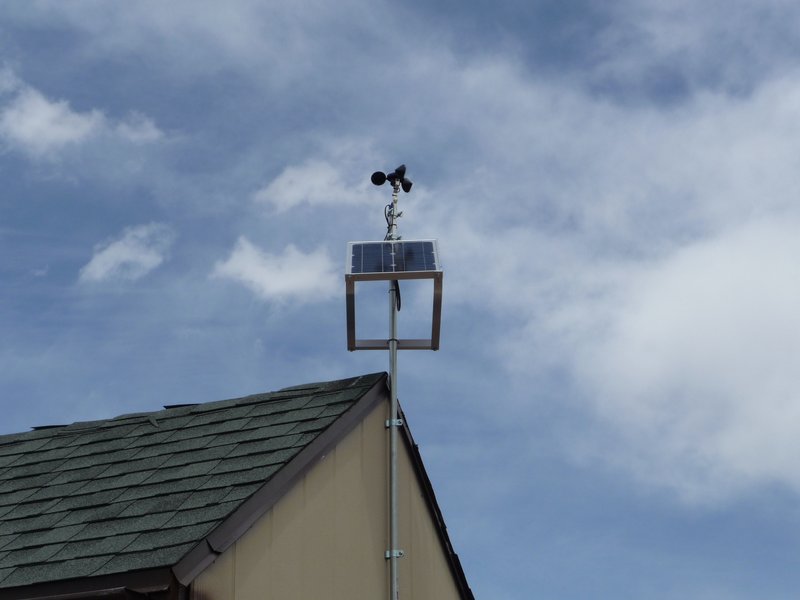
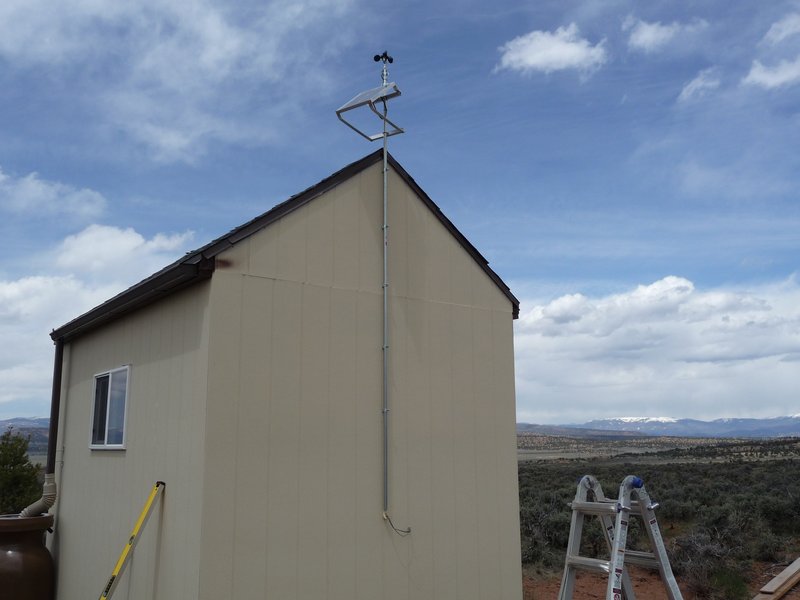
I made a mounting bracket for the solar panel from aluminum angle and flat and mounted it to a 10’ piece of 3/4” emt. I also mounted the wind sensor to the emt using u-bolts.
I mounted the panel and sensor pole to the side of the mini-cabin using five emt standoffs. The wires run down the center of the emt and through the side of the cab where they run to the charge controller and data logger.
Results:
The data logger powered up and started logging data perfectly. The wind speed varied from 6mph to 36mph while I was on-site. I’ll be back next weekend to check the data for the week.
Notes:
- The sketches (source code files) for the data logger are available here.
- My rough costs for the data logger are as follows:
Arduino
$29
LCD
$13
uDrive
$29
Wind Sensor
$55
Misc. Components
$20
Solar Panel
$60
Charge Controller
$55
EMT, Wire, etc
$10
- If I had to do it all over again, I might use one of the Arduino data logging shields that have emerged since I started this project such as the Adafruit Data logging shield or an Arduino with a built in RTC and SD card socket such as the Seeeduino Stalker.